Internet Download Manager or often called IDM has become the most popular downloader app and almost all computer users install it.
No wonder if many people choose IDM because with this downloader application, the downloading process that we do much faster than without using IDM.
How IDM works only maximize the speed of your internet connection so that no one idle during the downloading process takes place and help us get maximum speed from the server where you download.
Well more details, this IDM works by dividing the request to the server into 8 sections (default) by using thread. Simply, the process of downloading IDM is done just split the downloaded file into several small parts, then re-unite in the same time into a single file.
How to Speed Up Download IDM
Although IDM is already very helpful in the process of downloading, there are people who are “still” less satisfied with the speed of downloading done by IDM. Begin them looking for articles on blogs on how to speed up IDM downloads.
In the following article, I will share a few tricks you can use to speed up the IDM download process.
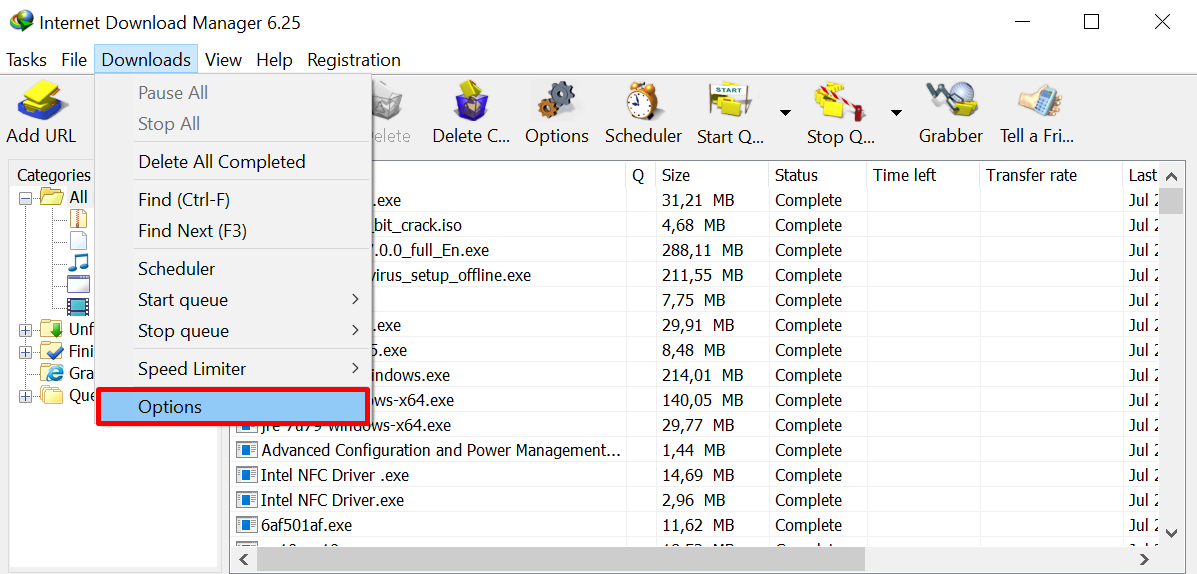
1. Open your IDM, then select the Downloads tab> Options.
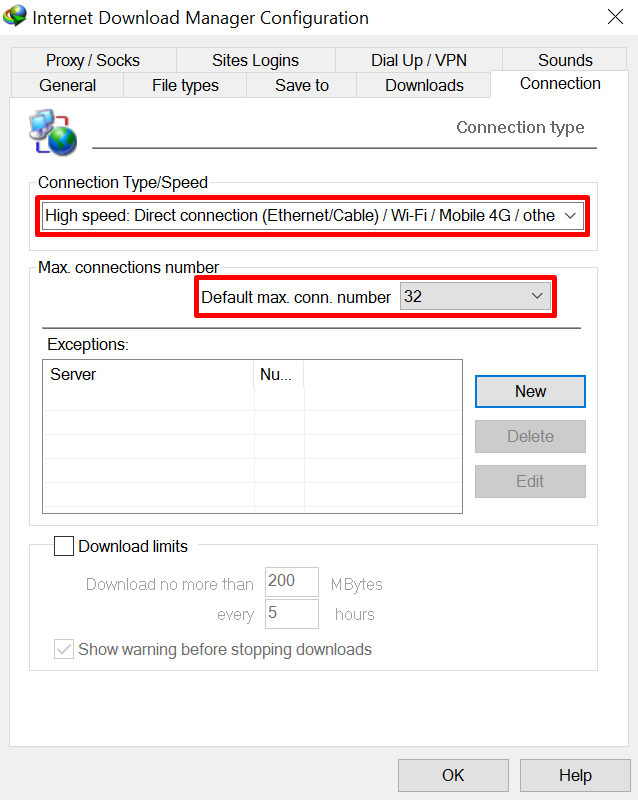
2. Change Connection Type / Speed to High speed: Direct connection (Ethernet / Cable) / Wi-Fi / Mobile 4G / other. Then change also Default max. conn. number from 8 to 16 or 24 or 32. After that select OK.
Is that just the trick?
Yes, the trick is just that, nothing else. I do not use software like IDM Optimizer, crack the windows registry, use proxy and so forth. Why did not they use it all? Will the speed of dowloadingnya will be increased 200-fold? No, because that’s all impossible, As much as possible, I do not want to mislead my blog readers.
The most decisive fast the downloading process is 80% more than your own internet speed and location / traffic density of the server where you download, the rest slightly tweak / oprek made users. So it is impossible we can increase download speed up to 200 times that way.